
7 SketchUp pitfalls to avoid for smoother, better Enscape results

7 SketchUp pitfalls to avoid for smoother, better Enscape results
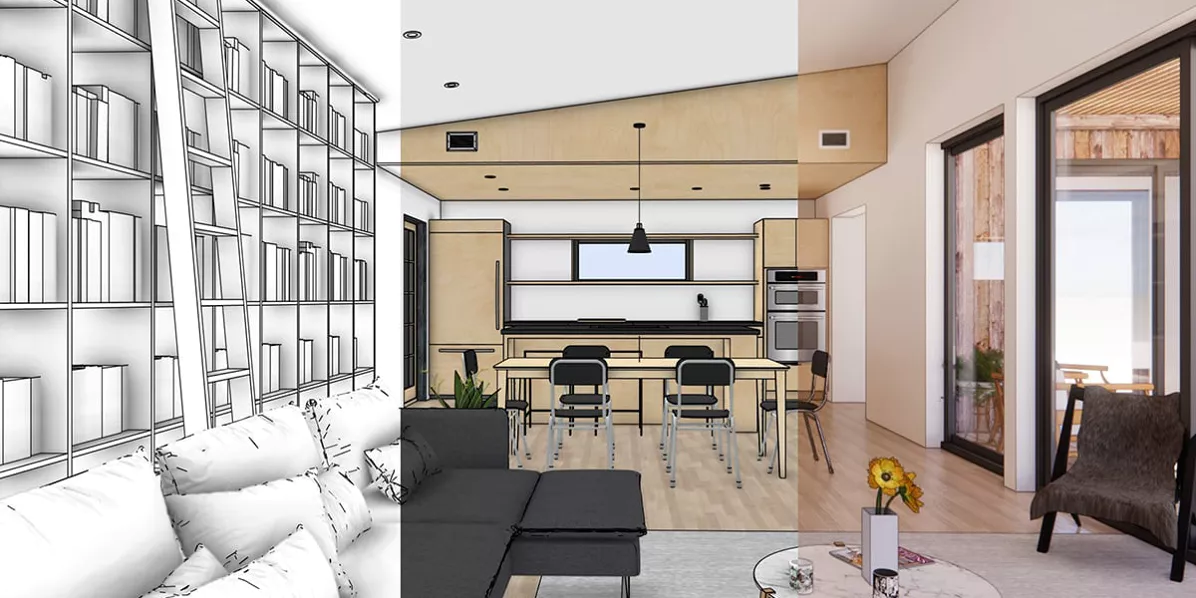
A frustrating rendering experience in Enscape is rarely about the renderer itself. More often than not, the visual glitches, slow performance, and strange artifacts that disrupt your workflow can be traced back to a handful of common habits within SketchUp. By addressing these core modeling issues, you can ensure a smooth, predictable, and high-quality result every time you render.
What you’ll learn:
Even after carefully refining a SketchUp model, launching Enscape can sometimes lead to visual inconsistencies like flickering surfaces, unexpected light leaks, or reduced performance.
These issues often aren’t Enscape’s fault. They’re symptoms of a few common, easily avoided bad habits in SketchUp—what I call the seven sins of modeling for real-time rendering. Avoiding these pitfalls is the key to a smooth, predictable, and professional workflow.
Sin #1: Ignoring the basics – reversed faces
This is the cardinal rule. In the pride of moving quickly, it’s easy to forget that every face in SketchUp has a front (white) and a back (blue-grey).
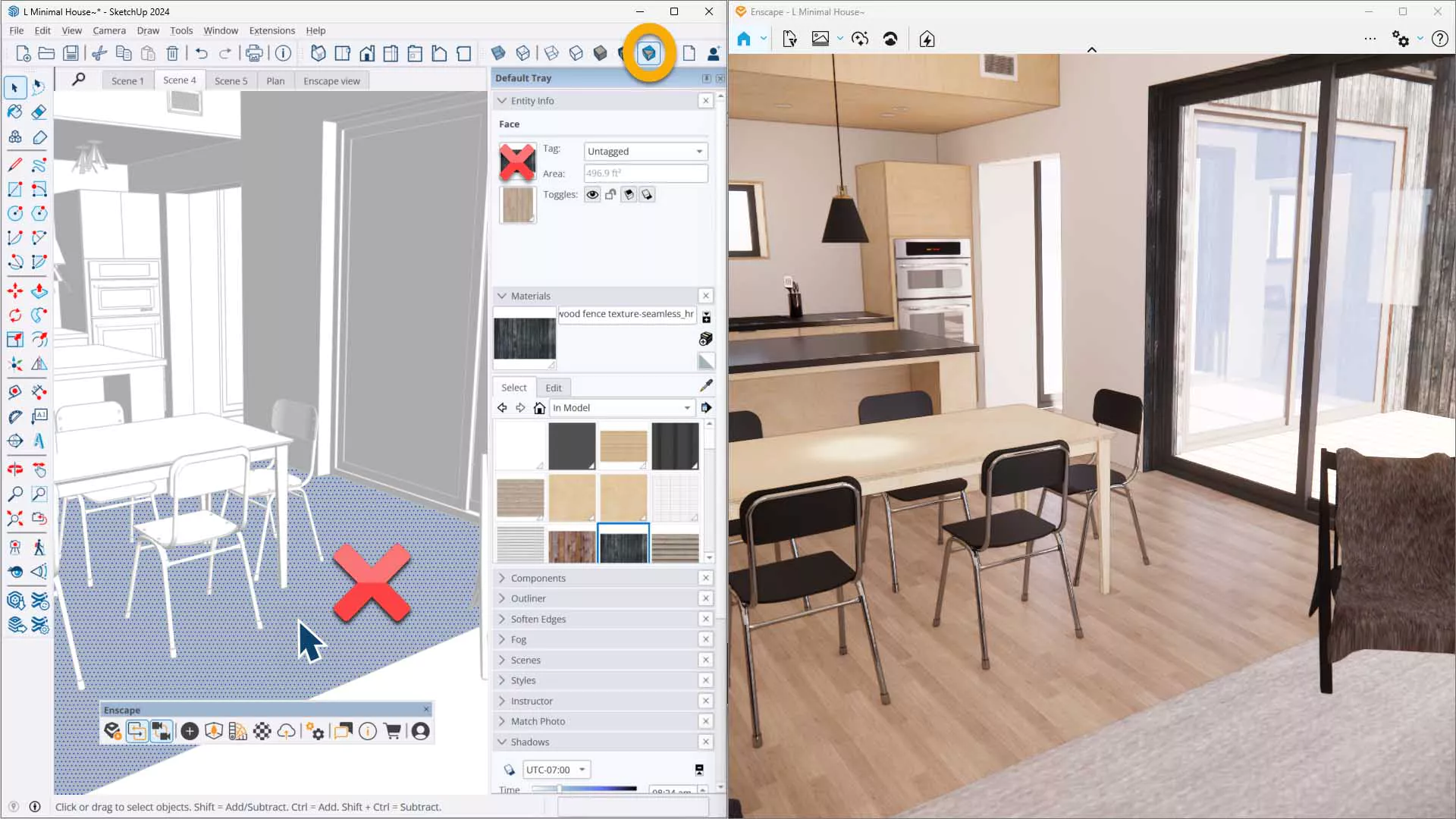
How to check for reversed faces in SketchUp and Enscape
Sin #2: Forgetting to group your geometry
This sin is born from a desire to model quickly without organization. Loose geometry—lines and faces not contained within a Group or Component—is a recipe for trouble.

Grouping your geometry in SketchUp and Enscape
Sin #3: Modeling with paper-thin surfaces
In a rush to create form, you draw a single plane for a ceiling or a floor, with no real-world thickness.
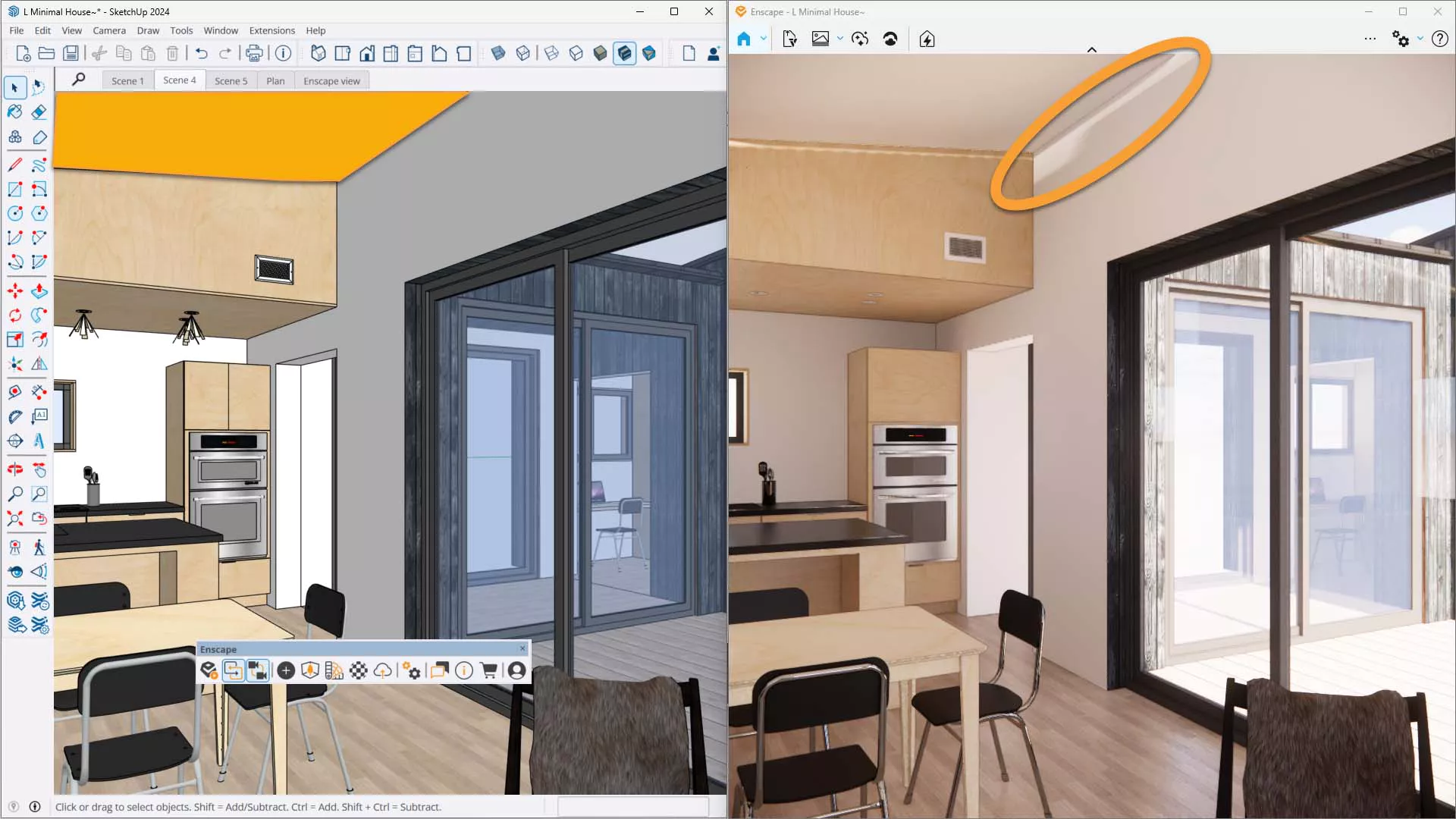
Check for reversed faces in SketchUp and Enscape
Sin #4: Painting groups instead of faces
You see a finished object and, in your rush to get it textured quickly, you apply a material to the outside of the Group/Component container instead of the faces inside.
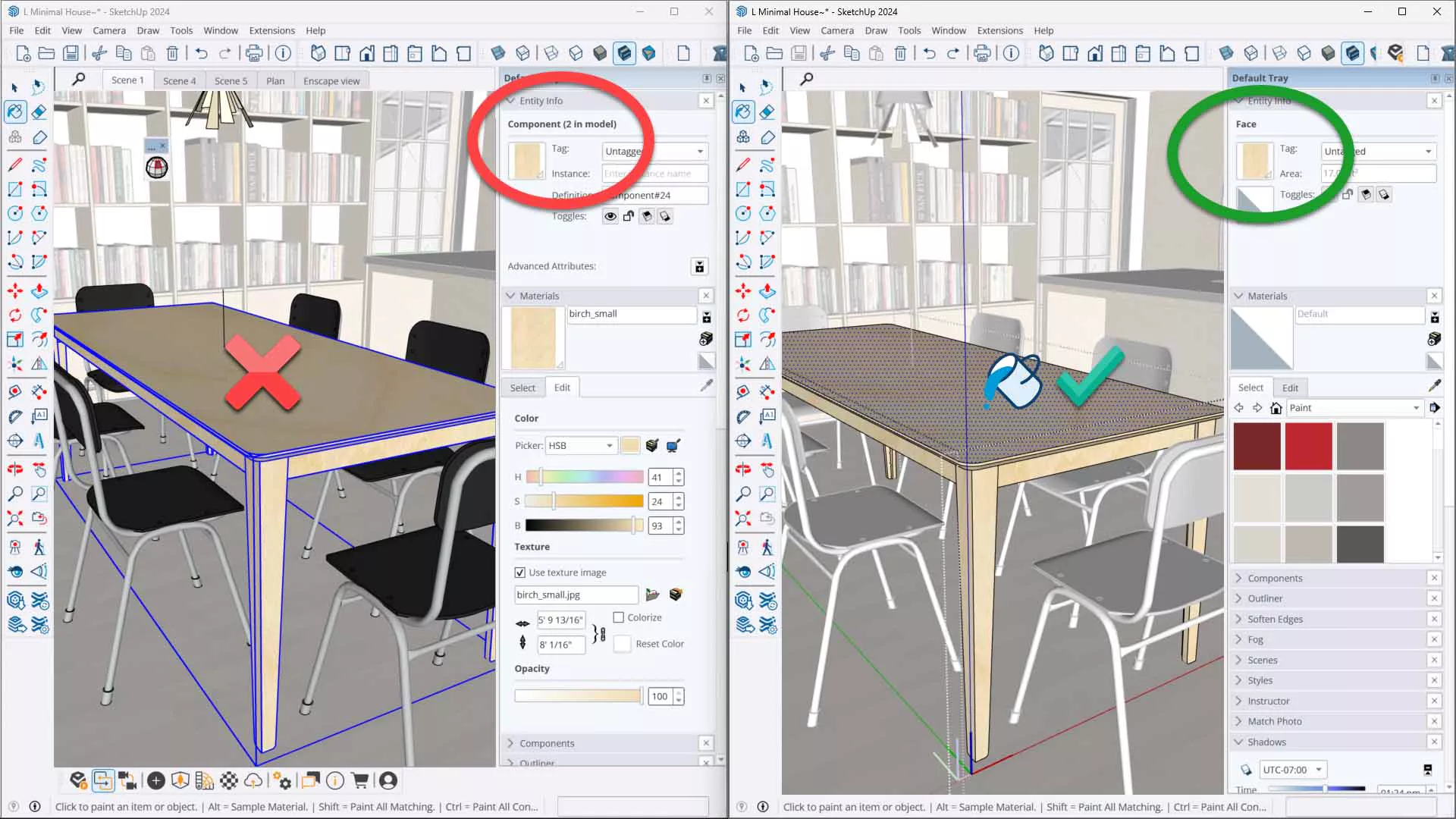
How to open a group and apply your textures directly to the faces inside of SketchUp and Enscape
Sin #5: Letting faces fight for dominance: Z-fighting
This sin manifests as a distracting, maddening flicker. It happens when two faces are modeled in the exact same location, fighting for rendering priority.
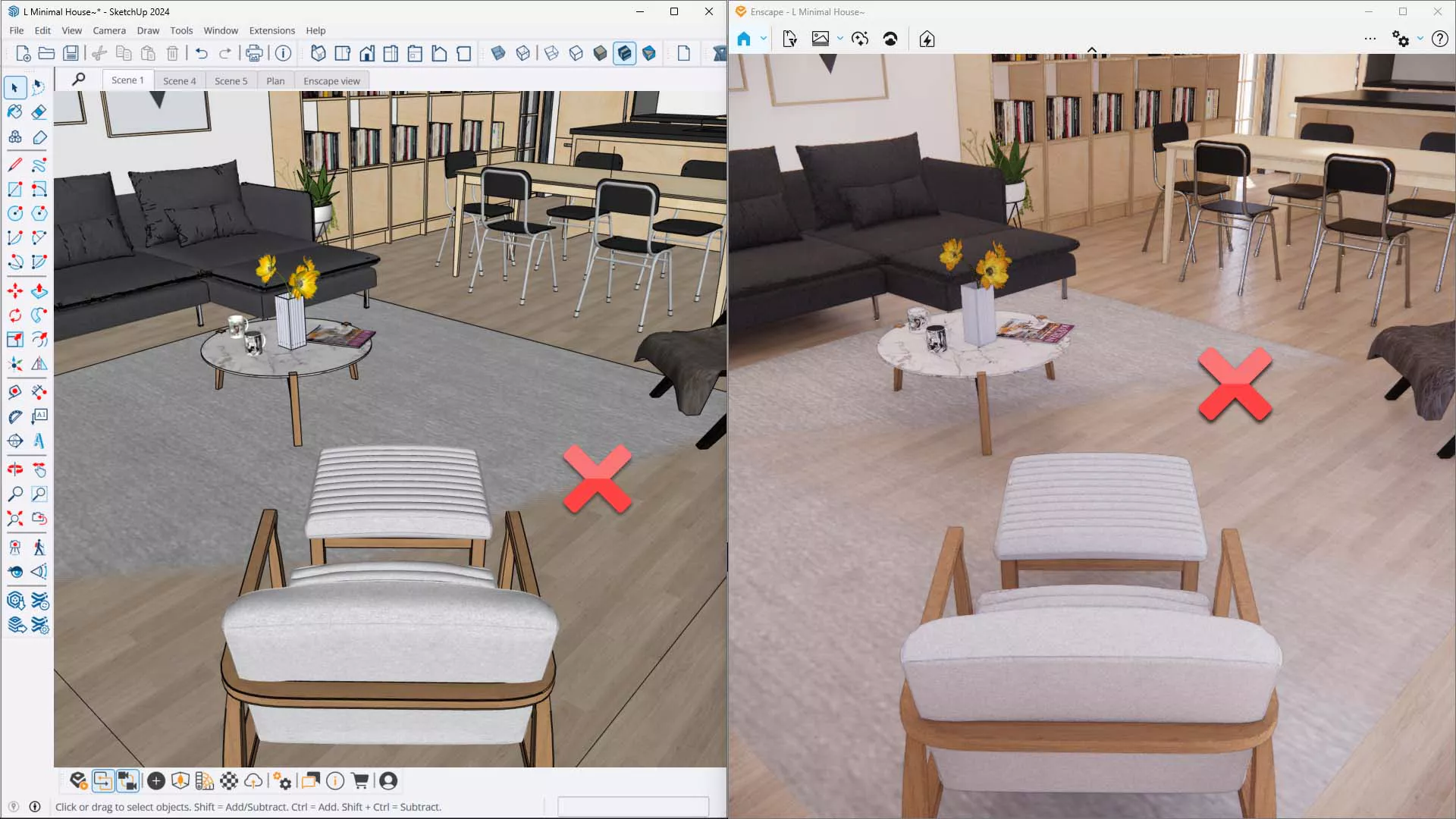
How to ensure there are no unintentional overlaps between your objects in SketchUp and Enscape
Sin #6: Bloating your model with heavy assets
This is the sin of wanting it all—the most detailed plants, the highest-resolution cars, and the most complex furniture—without considering the performance cost.
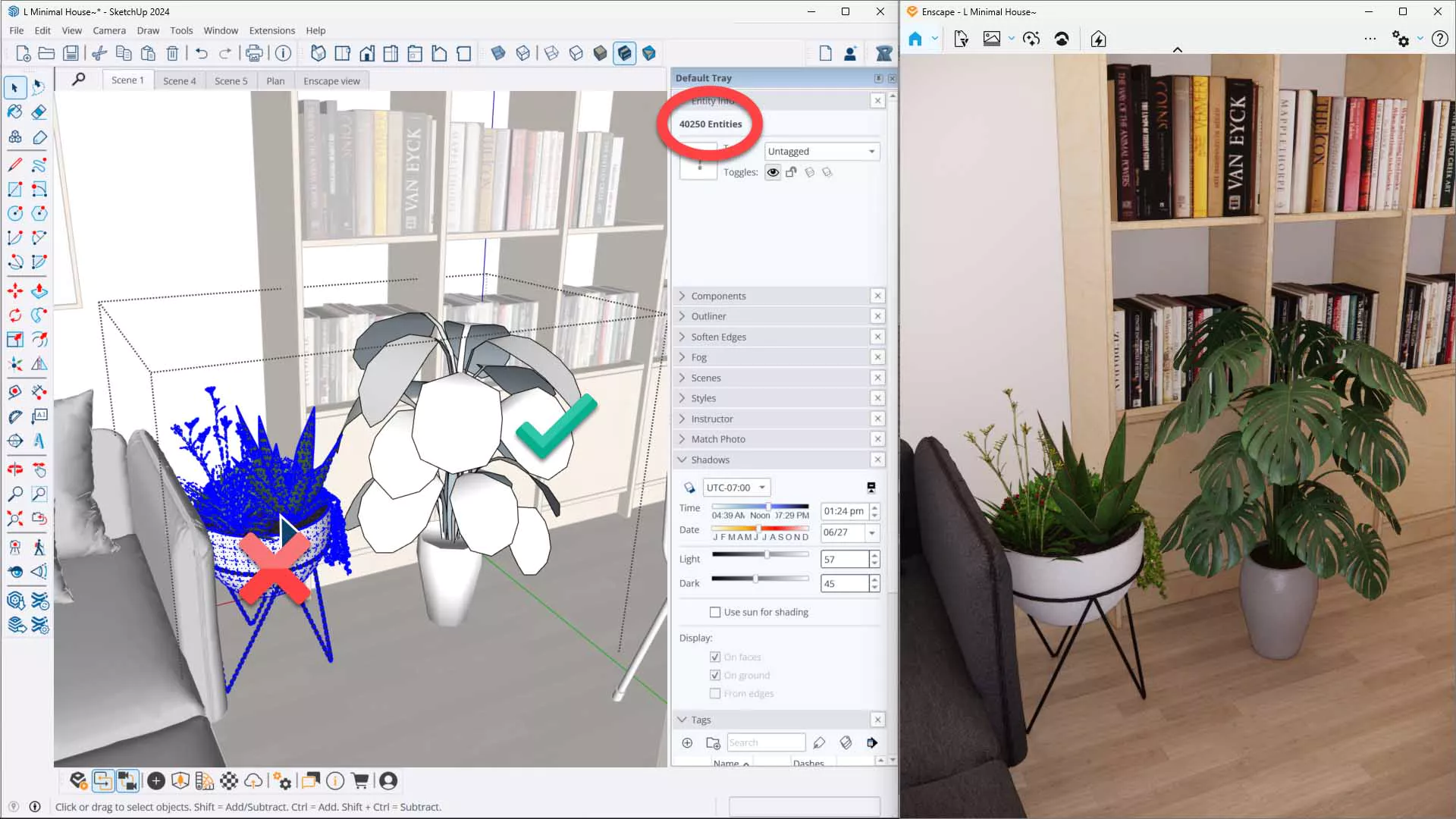
Showing heavy high polygon models with oversized textures in SketchUp and Enscape
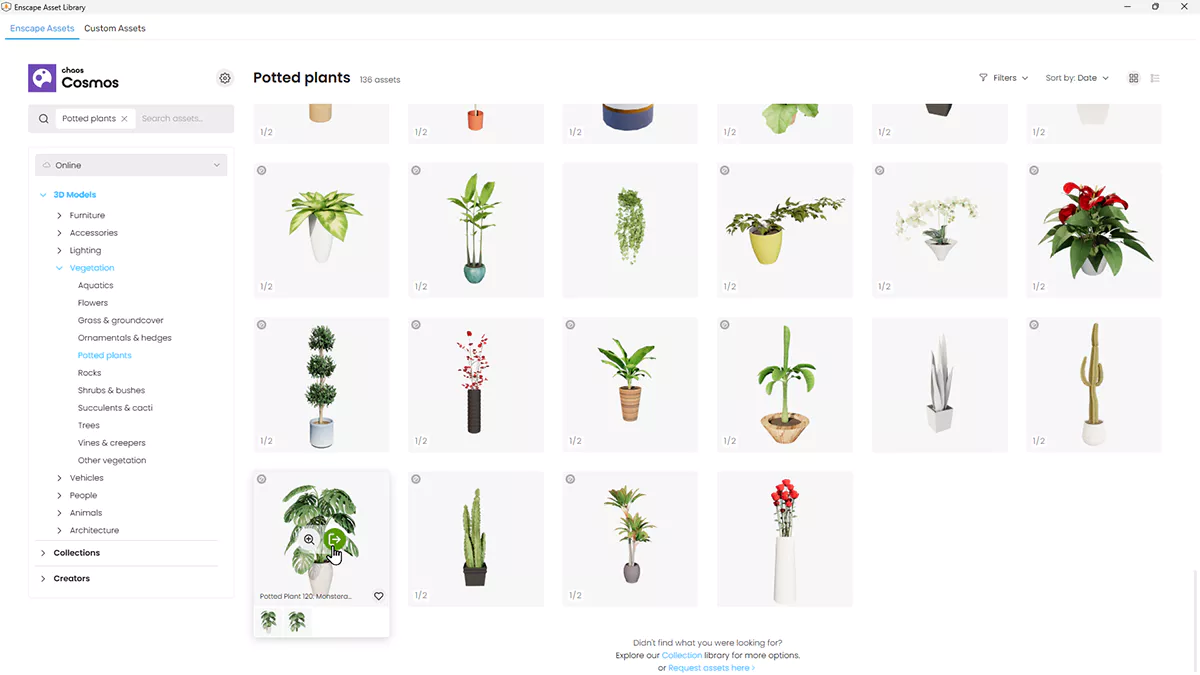
Screenshot of Cosmos asset library inside of Enscape
Sin #7: Chasing the ‘one perfect view’ instead of using scenes
You find a perfect camera angle and spend your time manually orbiting back to it again and again, lusting after that one shot instead of building a proper workflow.

How to use SketchUp Scenes or Enscape View Management mode to save scenes
Conclusion: A foundation of good habits
It’s a simple truth: a clean SketchUp model is the foundation of every great Enscape render. These “sins” are just bad habits, and replacing them with a disciplined, professional workflow is the fastest way to get predictable, high-quality results from your renders.
您可能也對以下訊息有興趣
 https://condata-ai.com/wp-content/uploads/2026/11/TW_Webnews_CW2026-2-1.jpg
554
554
angela.hsu
/wp-content/uploads/2025/07/test-logo.png
angela.hsu2026-11-20 17:44:032026-11-20 17:44:03SketchUp 2026 Cyber Week【25% OFF】Promotion
 https://condata-ai.com/wp-content/uploads/2026/11/Banner-sketchup-202611promotion-HK-icon.jpg
450
450
dimi.yang
/wp-content/uploads/2025/07/test-logo.png
dimi.yang2026-11-02 19:32:432026-11-02 23:12:45SketchUp 2026秋季【15% off】限時優惠
 https://condata-ai.com/wp-content/uploads/2026/05/Banner-sketchup-20260529promotion-HK-icon.jpg
450
450
dimi.yang
/wp-content/uploads/2025/07/test-logo.png
dimi.yang2026-05-27 11:31:322026-06-10 12:51:27SketchUp 2026 年中【20% off 限定快閃優惠】
 https://condata-ai.com/wp-content/uploads/2026/05/Banner-sketchup-202605promotion-HK-icon.jpg
450
450
dimi.yang
/wp-content/uploads/2025/07/test-logo.png
dimi.yang2026-05-12 17:53:412026-06-29 17:13:43SketchUp 2026春季【15% off】限時優惠
Subscribe to newsletter


Tel:886-2-8768-1631
Service Hours:Mon.-Fri. 9:00am-6:00pm


Tel:886-2-8768-1631
Mail:service@condata-ai.com
Service Hours:Mon.-Fri. 9:00am-6:00pm